
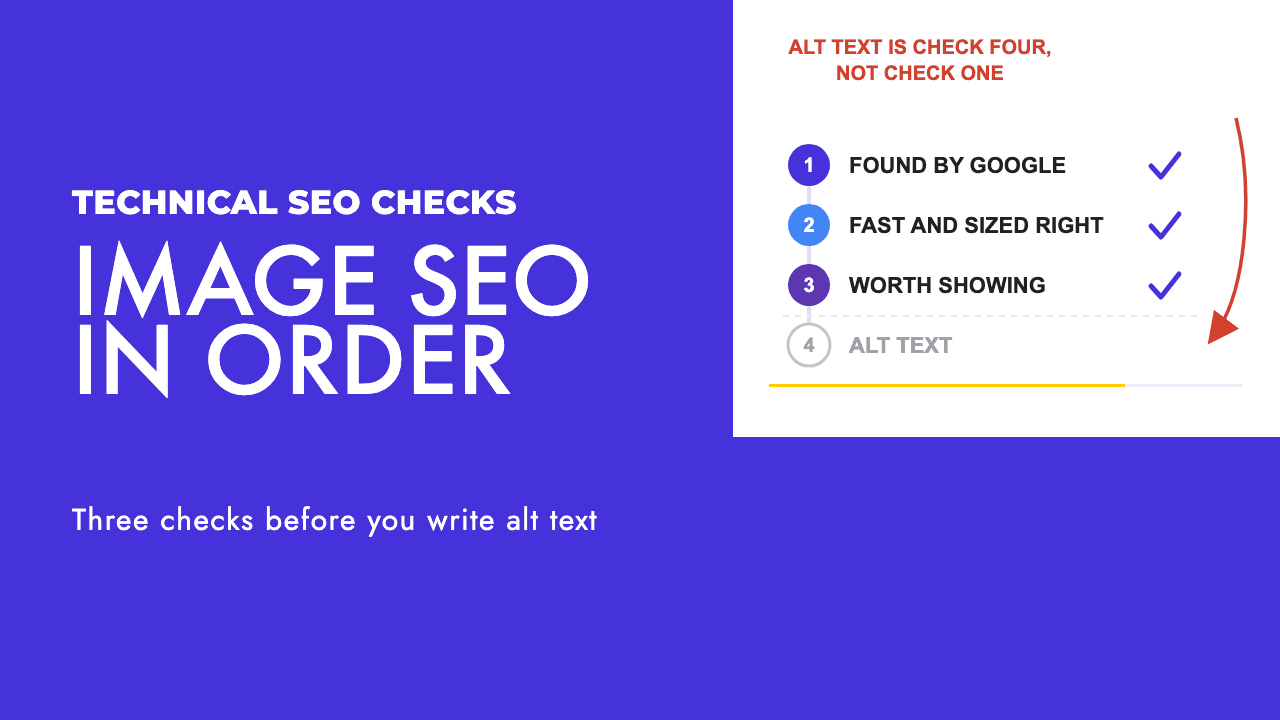
Open the image audit on almost any site and the first findings are the same: the hero is lazy-loaded, the gallery is a CSS background, and every photo is a stock shot of a laptop on a desk. Alt text is usually fine. It is also the thing everyone spent their time on.
That ordering is backwards.
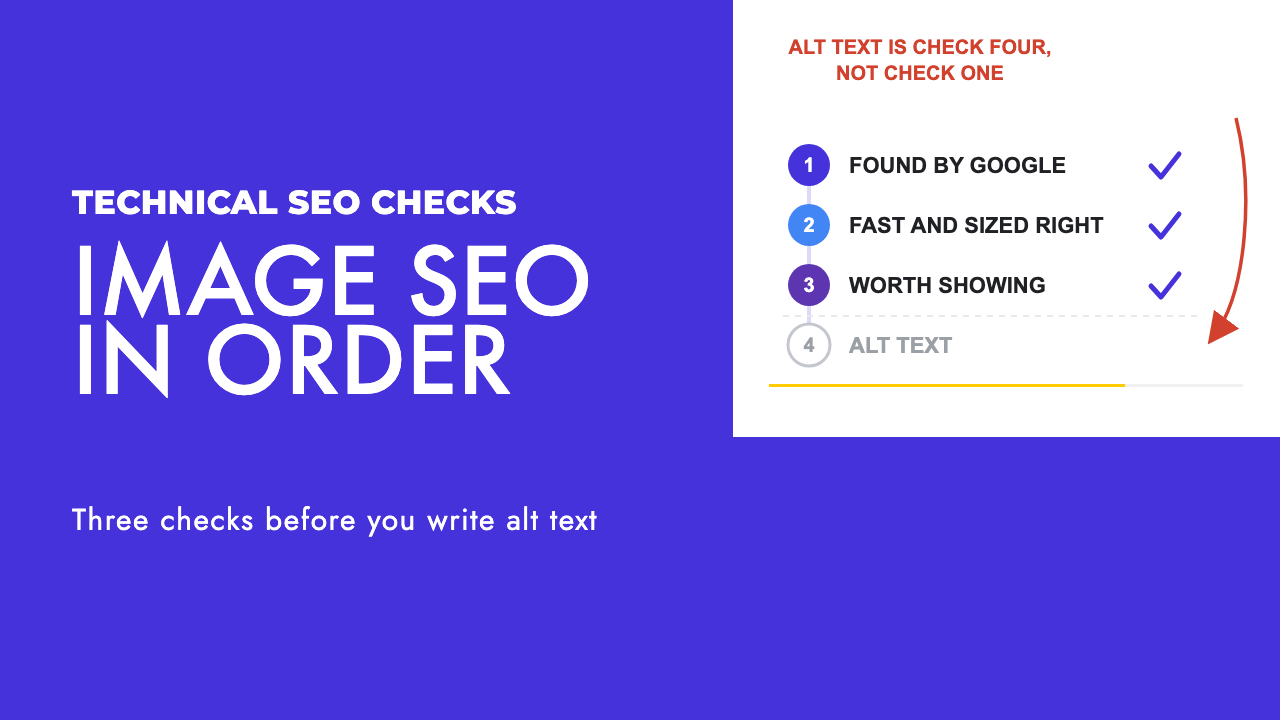
The three ways an image fails before alt text matters
Most image SEO advice is a list of ten tips. In our experience three of them do the work and the other seven are tidying.
The first is whether Google can find the image at all. An image that exists only as a CSS background, or that is injected by JavaScript after a scroll, is invisible to Google Images however well it is described.
The second is whether the image arrives fast and at a sensible size. A 4,000 pixel photo squeezed into a 400 pixel slot costs you Largest Contentful Paint on every visit, and a lazy-loaded hero does the same.
The third is whether the picture is specific enough that anyone would choose to show it. A stock photo of a handshake has been uploaded thousands of times. Google has no reason to pick your copy, and a person with a camera open has no reason to want it.
Alt text matters, and Google itself calls it the most important metadata attribute for images. But it is an accessibility and context job. It describes a picture that has already been found, delivered and judged worth showing, and if the picture fails any of the three tests above, alt text has nothing to rescue.
Where Google actually looks for your images
Google's documentation is direct on this: it finds images through the src attribute of an <img> element, including inside <picture>, and it does not index CSS background images. That rules out a surprising amount of what we see on hotel and restaurant sites, where the gallery is a slider built from background-image declarations.
The same page says to always include a fallback src on the <img> even when you use srcset or <picture>, because some browsers and crawlers do not understand those attributes. It also says Google reads the text around an image, plus captions and image titles, to work out what it shows. A photo of a sea-view room belongs on the room page next to the paragraph about the room, not in a gallery three clicks away.
If an image is the representative picture for a page, say so. Google reads schema.org primaryImageOfPage, the image property on mainEntity or mainEntityOfPage, and og:image, and wants that image relevant and representative: no logos, no text baked in, no extreme aspect ratios, nothing low resolution. Reuse one URL for a shared image so Google can cache it, and give inline SVGs a <title> element, because they have no alt.
JavaScript-injected images are the hard case. Google renders JavaScript but does not interact with pages, so an image that appears only after a scroll or click is never seen. Our JavaScript SEO troubleshooting guide covers how to check what Googlebot actually renders, and an image sitemap is the fallback.
The image sitemap format is simpler than older guides suggest. Google deprecated and removed <image:caption>, <image:title>, <image:geo_location> and <image:license>. Only <image:image> and <image:loc> remain, and plenty of plugins still tell you to fill in fields Google no longer reads.
<url>
  <loc>https://example.com/rooms/sea-view-suite</loc>
  <image:image>
    <image:loc>https://cdn.example.com/rooms/sea-view-suite-balcony.jpg</image:loc>
  </image:image>
</url>
You can list up to 1,000 images per <url>, and the image URLs can sit on a CDN domain as long as both domains are verified in Search Console and robots.txt does not block them. Google's stated purpose for the format is to surface images it might not otherwise find, which is exactly the JavaScript case.
File names, formats and the ones Google supports
Google's advice on image file names for SEO is short, descriptive names. Its own example sets my-new-black-kitten.jpg against IMG00023.JPG, it asks you to avoid generic names like image1.jpg, and on a localised site it wants the filenames translated too.
We would add that this is a habit for new uploads, not a retrofit project. Renaming thousands of existing images changes their URLs, and in our opinion the gain rarely justifies the redirects and lost image indexing on an established site.
Format matters more for speed than for ranking. Google lists its supported formats as BMP, GIF, JPEG, PNG, WebP, SVG and AVIF, and asks that the filename extension matches the actual file type. This is how we choose between them.
| Format | Our pick for | Trade-off |
|---|---|---|
| JPEG | Photographs where you cannot change the pipeline | No transparency, larger files than WebP or AVIF |
| PNG | Screenshots and anything needing lossless detail or transparency | Very large files for photographs |
| WebP | Photographs and graphics on any current site | Some CMS and design tools still export JPEG by default |
| AVIF | Photographs where file size is the priority | Fewer tools produce it out of the box |
| SVG | Logos, icons, diagrams | Needs a <title> when inline, wrong for photographs |
| GIF | Short animations when video is impossible | Huge files, almost always better as video |
Serving the right size instead of the biggest one
The most common delivery failure we find is one file for every screen. A 2,400 pixel photo is uploaded once and served to a phone that displays it at 360 pixels wide. The browser downloads the whole thing, then throws most of it away.
srcset and sizes fix this, and the MDN guide to responsive images is the reference worth reading in full. srcset lists your files with their intrinsic widths using the w descriptor, and sizes tells the browser how wide the slot will be under each media condition, so it can pick the smallest file that fills it.
<img
  src="suite-balcony-800w.jpg"
  srcset="suite-balcony-480w.jpg 480w,
          suite-balcony-800w.jpg 800w,
          suite-balcony-1600w.jpg 1600w"
  sizes="(width <= 600px) 480px, 800px"
  alt="Balcony of the sea-view suite at sunrise, with two chairs facing Larnaca Bay"
  width="800"
  height="533">
Order matters in sizes. The browser takes the first media condition that matches and ignores the rest, so put the narrowest condition first. If the image sits at a fixed CSS width and you only want sharper copies on high-density screens, use x descriptors instead and drop sizes.
<picture> is for a different crop on mobile rather than a smaller version of the same crop, which MDN calls art direction. Each <source> carries a media attribute, the <img> with src and alt must come last as the fallback, and media belongs only in art-direction cases, never duplicated inside sizes.
The one image you must never lazy-load
Lazy-loading is good advice for the twelfth image on a page and bad advice for the first. web.dev's guidance on Largest Contentful Paint says it plainly: never lazy-load your LCP image, because it always adds unnecessary delay to the resource load. Yet loading="lazy" on the hero is the most frequent performance finding in the audits we run, usually because a plugin applied it to every image on the site.
The target is an LCP of 2.5 seconds or less for at least 75% of page visits, and above 4.0 seconds is classed as poor. On a hotel or restaurant site the LCP element is nearly always the hero photo, so this one attribute can decide the whole metric.
Three fixes, all from the same web.dev page. Keep the hero's src or srcset in the initial HTML so the browser's preload scanner can find it, because images added by JavaScript, loaded through data-src or set as CSS backgrounds are invisible to that scanner. Add fetchpriority="high" to the hero <img> and only the hero, since setting it on more than one or two images makes it unhelpful. And if the hero is referenced only from a stylesheet or script you cannot change, preload it.
<link rel="preload" fetchpriority="high" as="image" href="/images/suite-balcony-1600w.jpg">
The reverse applies to images that load early but are not visible, such as hidden carousel slides. Those get fetchpriority="low" so they stop competing with the one picture the visitor is waiting for.
Below the fold, lazy-loading is fine as long as Google can follow it. Google's lazy-loading guidance is that content must load whenever it is visible in the viewport and must never depend on a user action, because Googlebot does not scroll or click. Browser-native loading="lazy", the IntersectionObserver API or a library that loads on viewport entry all qualify. A library that waits for a scroll event does not.
Test it the way Google recommends: run the URL through the URL Inspection tool in Search Console, open the rendered HTML, and confirm the image URLs appear in the src attribute of <img> elements. If they are not there, Google did not see them.
Alt text, written for the person who cannot see the picture
Now alt text, in its proper place. Google calls it the most important metadata attribute, asks for text that is informative and relevant to the page, and warns against keyword stuffing. When the image is a link, the alt text also serves as the anchor text, which is a reason to write it as carefully as any other link.
The best framework for writing it is an accessibility one. The W3C alt text decision tree asks what the image is doing on the page and gives a different answer for each case.
| The image is... | The alt text should be... |
|---|---|
| Purely decorative (a divider, a background texture) | Empty: alt="" |
| Repeating text that already appears on the page | Empty: alt="" |
| Inside a link or button | The destination or the action, not a description of the picture |
| A photo or illustration that adds meaning | A short description of what it shows, in the context of the page |
| A graph, chart or complex image | A brief label, with the full information provided elsewhere on the page |
| Text as an image, where that text appears nowhere else | The text itself |
| Text as an image, purely for visual effect | Empty: alt="" |
Notice what is missing from that table: a column for keywords. Describe the picture for someone who cannot see it, on the page where it sits, and the relevant words arrive on their own. "Balcony of the sea-view suite at sunrise" says more to Google and to a screen reader than "best hotel Larnaca sea view suite room hotel".
Licence metadata and the licensable badge
If you publish original photography, there is a case for telling Google who owns it. Image licence metadata can be supplied as ImageObject structured data or as IPTC photo metadata embedded in the file.
The structured data route needs contentUrl plus at least one of creator, creditText, copyrightNotice or license. The Licensable badge in Google Images requires the license property, and Google recommends acquireLicensePage alongside it.
{
  "@context": "https://schema.org",
  "@type": "ImageObject",
  "contentUrl": "https://example.com/images/suite-balcony-1600w.jpg",
  "license": "https://example.com/image-licence",
  "acquireLicensePage": "https://example.com/contact",
  "creditText": "Example Hotel",
  "copyrightNotice": "Example Hotel"
}
The block is short enough to hand-write, and our schema markup generator covers the page-level types you are likely to want alongside it. The real cost of this route is that the markup has to appear on every page the image is used on. IPTC travels with the file instead, so you add it once in your photo editor; the badge via IPTC needs the Web Statement of Rights field inside a Licensor object, and if the two sources disagree, Google uses the structured data.
Two caveats from Google's own page. It does not guarantee that either structured data or IPTC metadata will show in results. And this is a provenance feature more than a ranking one: the same page lists the IPTC Digital Source Type values Google reads for AI involvement, and says that if an image carries C2PA metadata, Google may show details such as whether AI tools were used in "About this image". Google is building the plumbing to tell an original photograph from a generated or recycled one, which favours businesses that have original photographs to declare.
The camera is now a search box
Google said in October 2024 that Lens was being used for nearly 20 billion visual searches a month. That figure is two years old, and we have not seen a newer one from Google, so treat it as a floor rather than a current count.
The more recent change is where the camera reaches. In March 2026 Google expanded Search Live to more than 200 countries and territories, so people can hold a conversation with Search in AI Mode using voice and camera, powered by Gemini 3.1 Flash Live. With the camera on, Search can see what is in view and offer suggestions with links, and a Live button inside Lens does the same in real time. At that scale the camera is a search entry point in Cyprus and the UK as much as in the US.
None of this gives you a new tag to add. It changes what you should be photographing.
A visitor pointing a phone at a plate in Limassol, a storefront in Paphos or a hotel balcony in Protaras is asking Search to match what they see with what is on the web. A property that has published real photos of its own rooms, dishes and frontage has something for that match to land on. A property running the same stock library as a hundred others does not. That is the practical side of the argument in our piece on how AI image generation changes image SEO: specificity is the asset, and stock has none.
The same logic applies to Google Business Profile. Google's photo guidelines ask for JPG or PNG between 10 KB and 5 MB, at a recommended 720 by 720 pixels, sharp and well lit, with no major edits or heavy filters, and they say outright that the image should represent reality. For a business in Cyprus running a local SEO programme, a monthly batch of real photos to the profile is one of the cheapest items on the list.
For hotels this is most of the game, which is why our hotel SEO work starts with an inventory of what the property actually owns photographs of. A sea-view room shot on a phone in good light beats a rendered one, because the guest on the balcony is about to see the real thing.
The audit you can run this week
Everything above collapses into a short list. Work through it on your five most important pages, then on the templates behind them.
| Check | How to test it | Pass condition |
|---|---|---|
Images are in <img src> |
Rendered HTML via URL Inspection in Search Console | Every image you care about has a URL in a src attribute |
| No key images as CSS backgrounds | Inspect galleries and hero sections | Backgrounds are decorative only |
| Hero is not lazy-loaded | Search the source for loading="lazy" on the first image |
No lazy attribute, and fetchpriority="high" present |
| Hero is in the initial HTML | Disable JavaScript and reload | Hero still appears |
| Responsive sizes in place | Check for srcset and sizes on content images |
A phone receives a file close to its display width |
| Formats are current | Check extensions and response headers | WebP or AVIF for photographs, extension matching the type |
| File names are descriptive | Read the URLs | No IMG_0001.jpg, no image1.jpg |
| Alt text follows the decision tree | Sample 20 images against the W3C table | Decorative empty, meaningful described, linked ones state the destination |
| Preferred image declared | Check og:image and page schema |
A relevant, representative photo, not a logo |
| Image sitemap current | Open the sitemap | Only <image:loc> used, JavaScript-loaded images included |
| Photos are yours | Walk the site as a customer would | Rooms, plates, frontage and team are real, recent and specific |
The first four rows are the ones that move something. If a site fails those, nothing further down the table matters until they are fixed, and they are usually a theme or plugin setting rather than a content job.
If you want a second pair of eyes on it, our technical SEO work covers exactly this kind of template-level fix, and a free SEO review will tell you whether images are the bottleneck on your site or just the most visible symptom of something else.
Frequently asked questions
Does alt text improve image SEO rankings?
It helps Google understand what an image shows, and Google calls it the most important metadata attribute for images. It is not a lever you can stuff. Write it for a person who cannot see the picture, keep it relevant to the page, and leave it empty on decorative images. If Google cannot find or load the image in the first place, alt text has nothing to rescue.
Should I lazy-load every image on my site?
No. Lazy-load images below the fold, using the browser's native attribute or an IntersectionObserver approach that Google can follow. Never lazy-load the hero or whatever image is likely to be the Largest Contentful Paint element, because that always delays it. Many plugins apply lazy-loading to every image by default, so check the first image on your key templates specifically.
Which image format is best for SEO?
Google supports BMP, GIF, JPEG, PNG, WebP, SVG and AVIF, and no format ranks better than another. The choice is about file size and fit. In our experience WebP or AVIF for photographs, SVG for logos and diagrams, and PNG for screenshots covers nearly every case. Whatever you use, the file extension must match the actual file type.
Do image file names matter for SEO?
They are a small, free signal. Google asks for short, descriptive names and gives my-new-black-kitten.jpg against IMG00023.JPG as its own example. Set the habit for every new upload. Renaming thousands of existing images changes their URLs and risks losing what is already indexed, so on an established site we usually leave the archive alone unless the names are actively misleading.