
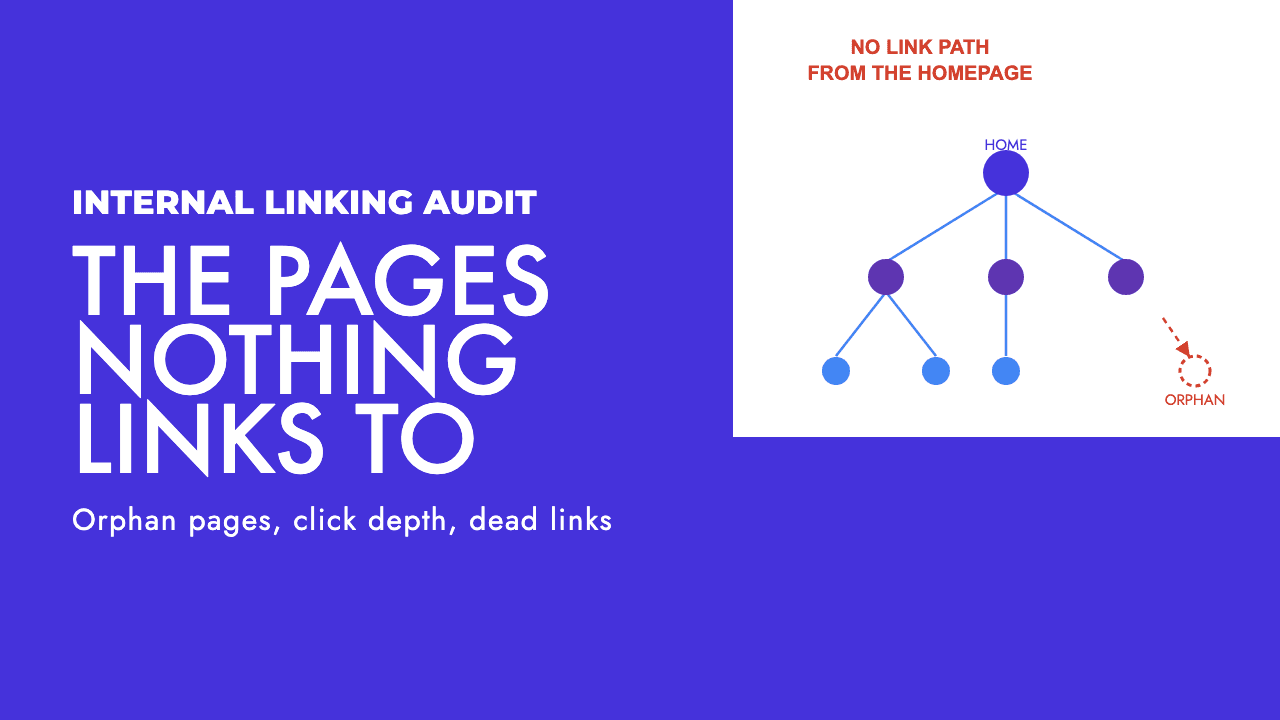
Crawl a typical business site of a few hundred pages and the internal linking report comes back with the same problems every time. A handful of pages nothing links to. The service pages that pay the bills sat five clicks from the homepage. A navigation where every link reads "Services". And a few dozen links still pointing at URLs that were redirected in the last redesign.
Crawl budget does not come into it. These are boring, specific problems, most of them fixable in an afternoon.
What an internal linking audit actually finds
Most internal linking guides are written for e-commerce sites with hundreds of thousands of URLs. On a company site of a few hundred pages, the audit answers a shorter list of questions. Can Google reach every page you care about by following links from the homepage? How many clicks does it take to reach the pages that make money? Does the anchor text say what the page is about? And how many internal links point somewhere other than the final, live URL?
That is the whole audit.
What Google says internal links do
On discovery, Google explains that "other pages are discovered when Google extracts a link from a known page to a new page: for example, a hub page, such as a category page, links to a new blog post" (Google, How Search Works). The same page notes that "still other pages are discovered when you submit a list of pages (a sitemap) for Google to crawl". A page with only the sitemap route is relying on Google's goodwill.
On what a link should look like, Google says "every page you care about should have a link from at least one other page on your site", and that "good anchor text is descriptive, reasonably concise, and relevant to the page that it's on and to the page it links to" (Google, make your links crawlable).
On importance, Google publishes no formula for how internal links pass weight, and we are not going to invent one. Our opinion is that a page with a single footer link behaves differently in search from one linked from the homepage and a dozen related posts. That is inference. Discovery and anchor text are documented.
Orphan pages: how to find the pages nothing links to
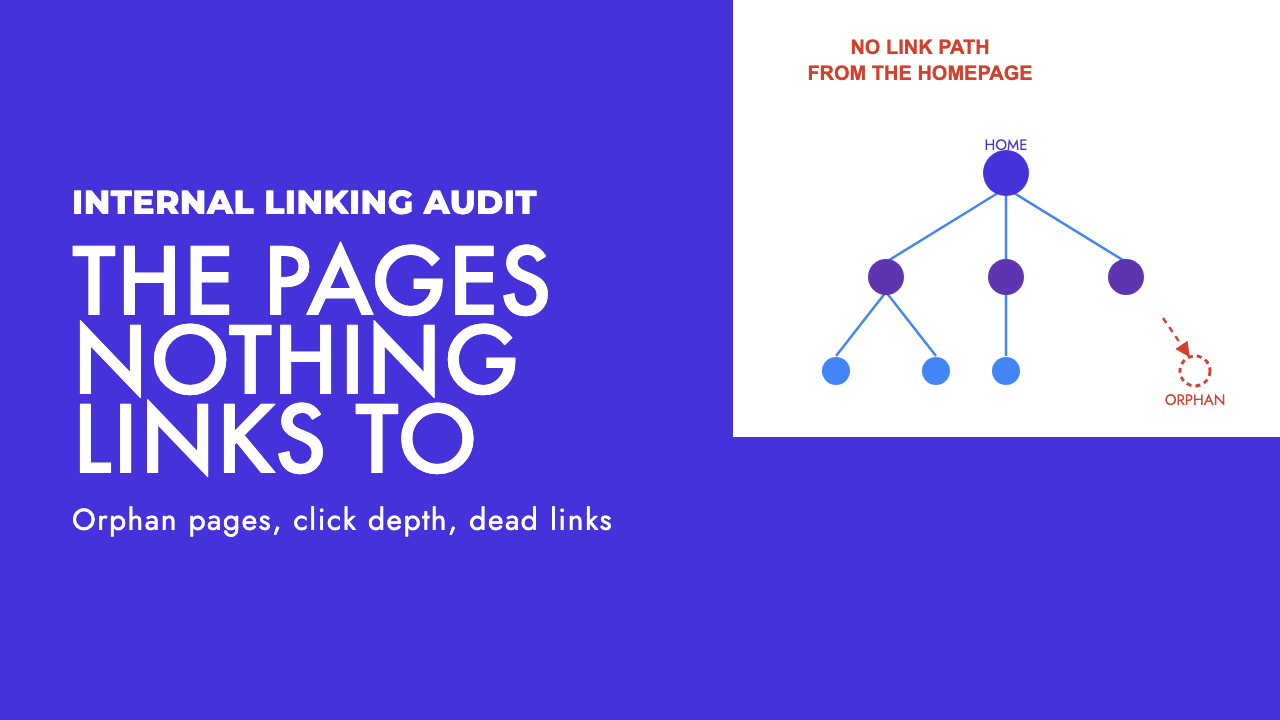
Screaming Frog's definition is the useful one: an orphan page is "a page that cannot be found by crawling the internal links of a website from the start page" (Screaming Frog, find orphan pages). On small sites they arrive in the same few ways: a campaign landing page never added to the navigation, a service page that lost its only link when the menu was rebuilt, tag archives the CMS created on its own, and old pages removed from the menu but never deleted.
A crawl alone cannot see any of these, because a crawler only finds what is linked. The audit needs data from outside the crawl, and the tutorial lists three sources: XML sitemaps, Google Analytics and Google Search Console.
The workflow, using the tutorial's menu paths:
- Configuration > Spider > Crawl: enable "Crawl Linked XML Sitemaps". If your sitemap is not referenced in robots.txt, add its URL manually.
- Configuration > API Access: connect Google Analytics and Google Search Console.
- In the GA General tab and the GSC Search Analytics tab, enable "Crawl New URLs Discovered In...". Without this the tool reports the extra URLs but does not crawl them.
- Run the crawl from the homepage as normal.
- Crawl Analysis > Start. The orphan filters stay empty until this runs.
- Review the Orphan URLs filters on the Sitemaps, Analytics and Search Console tabs, then Reports > Orphan Pages exports the combined list.
One shortcut from the same tutorial: in the Internal tab, filter for URLs with a blank crawl depth. Anything with no crawl depth was never reached by following links.
What you do with the list matters more than the list. Every orphan should be linked, from the most relevant hub or post with a descriptive anchor; or removed, by redirecting it to the closest live page or letting it 404; or noindexed, like a thank-you page. Orphans in that middle group are a common source of the crawled but not indexed pile in Search Console, which we cover in how to fix crawled, currently not indexed.
Without Screaming Frog, the free alternative is the Links report in Search Console, which shows "which of your pages is linked the most from within your own site" and, sorted the other way, the pages with the fewest (Google, Links report). Know its limits. Google states the report "isn't a comprehensive list of every link on your site. It shows a sample of internal and external links to help you understand your site's overall link profile". Pages are grouped by canonical URL, tables are capped at 1,000 rows, and non-indexed or deduplicated URLs may be left out. It can show you weakly linked pages, but a true orphan may simply not appear.
Click depth: how far your money pages sit from the homepage
Click depth is the number of links a visitor, or a crawler, has to follow from the homepage to reach a page. On a small site it is where the real damage hides.
Google's position comes from John Mueller in a 2018 Webmaster Central hangout, reported by Search Engine Journal. Asked about URL structure, he said: "From our point of view we don't count slashes in the URLs... What does matter for us a little bit is how easy it is to actually find the content" (Search Engine Journal). Folder depth in a URL is cosmetic. Clicks are what Google is looking at.
Mueller did not put a number on it, and neither has Google's documentation. Our rule of thumb, and it is only that, is that every page you would like to rank should be reachable in two or three clicks from the homepage. Beyond that we start asking why the page exists if nothing on the site thinks it is worth pointing at.
Finding the deep pages is quick: sort Screaming Frog's Internal tab by the Crawl Depth column, descending. The Site Structure panel on the right charts the distribution.
The causes are predictable: blog posts only reachable from the last page of a paginated archive, service pages nested under a category that is itself only in a dropdown, sector pages linked from one footer on one other page. Each is fixed the same way: link from the homepage or a hub the homepage links to, and add contextual links from related posts.
Anchor text: the read-it-out-of-context test
Google's link documentation gives a test we use verbatim in audits: read only the anchor text, out of context, and ask whether it is specific enough to make sense by itself (Google, make your links crawlable). "Commercial waste collection in Limassol" passes. "Services" does not. The same document names "click here" and "read more" as generic anchors to avoid, and says keyword stuffing in anchor text violates the spam policies, so do not swing to the other extreme either.
The problem on small sites is rarely a bad anchor. It is one anchor, repeated. If the only link to your accountancy-for-contractors page is a dropdown item reading "Contractors" under a parent reading "Services", every internal link to that page carries the same word. Google's instruction that anchor text be relevant to both the page it sits on and the page it points to cannot be satisfied by a menu.
The fix is contextual links in body copy. A post about contractor tax changes should link to the contractors page with an anchor that says what it is. The general accountancy page should link to it in a paragraph, not a sidebar. A few descriptive links from relevant pages do more than any number of repeats of the nav.
To audit it, select a page in Screaming Frog and open the Inlinks tab in the lower pane. The anchor text column shows in seconds whether the page has one anchor or several.
Wasted links: redirects, 404s and links Google cannot follow
The last class of problem costs nothing to fix and is the one most often ignored.
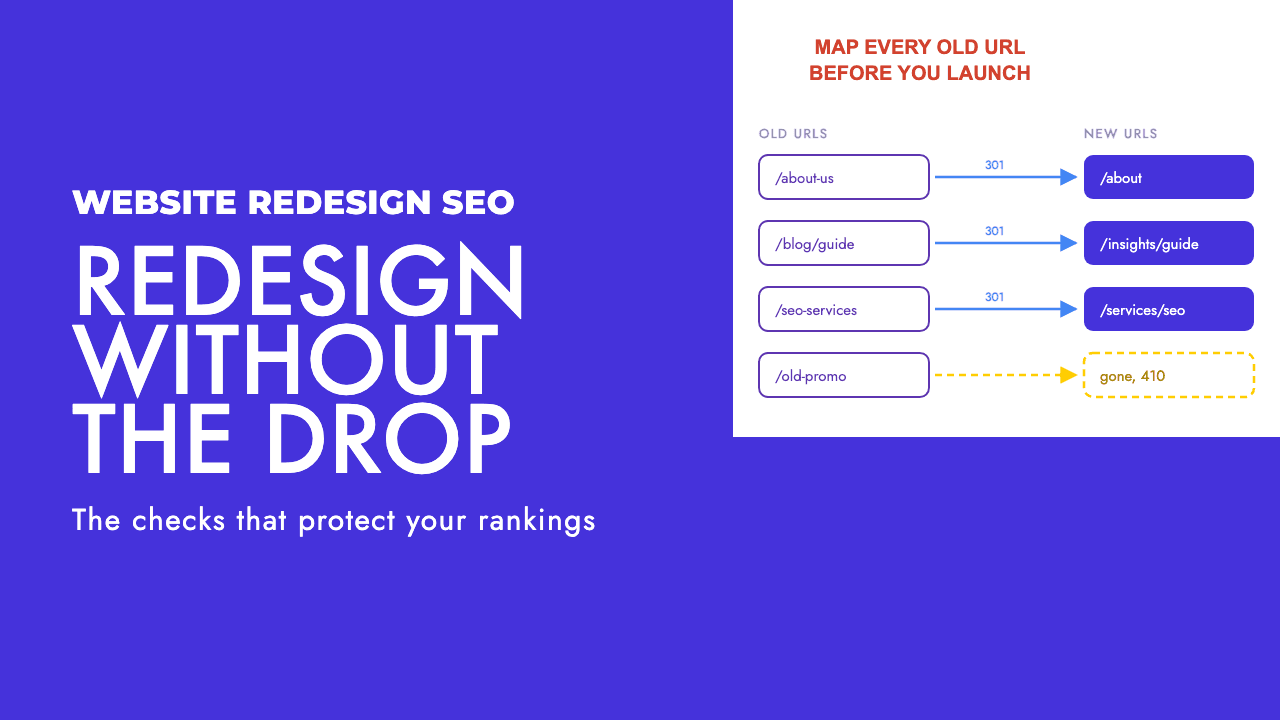
Internal links to redirects are almost always left over from a redesign. The redirects work, so nobody notices the site is still linking to the old addresses. Google documents the redirect types it recognises (Google, redirects) but puts no number on how many hops are acceptable, so we treat pointing internal links at the final URL as hygiene rather than a scored ranking rule. It removes a round trip for every user and crawler, and it stops chains building up at the next redesign. Our website redesign SEO checklist covers the link update as a launch task.
Internal links to 404s are worse, because the visitor hits a dead end. Both are found in Screaming Frog's Response Codes tab, filtered to redirection and client error, then the Inlinks tab for each URL to see which pages carry the link.
The subtler waste is links Google cannot see. Google is explicit: "Google can only crawl your link if it's an <a> HTML element with an href attribute" (Google, make your links crawlable). The same page says not to use non-standard formats such as <span> elements or onclick handlers without a proper href. A mega menu built from divs with click handlers, or a card that is clickable via JavaScript but has no anchor tag, looks like a link to a person and like nothing to Googlebot.
The check is to crawl once with JavaScript rendering off and once with it on, and compare URL counts and crawl depths. If pages appear or move closer to the homepage only in the rendered crawl, your navigation depends on JavaScript. We cover the diagnosis in JavaScript SEO troubleshooting, and custom JavaScript in Screaming Frog shows how to pull the rendered links directly.
What not to bother with on a small site
Crawl budget. Google's guide to managing crawl budget states who it is for: "Large sites (1 million+ unique pages) with content that changes moderately often (once a week)" and "Medium or larger sites (10,000+ unique pages) with very rapidly changing content (daily)" (Google, managing crawl budget). If your site has a few hundred pages, you are not on that list, and in our opinion any agency selling you crawl budget optimisation has not read it. The one line worth keeping is the advice to eliminate duplicate content so crawling focuses on unique content rather than unique URLs.
Nofollow sculpting. Google says links marked nofollow "will generally not be followed", and adds that "the linked pages may be found through other means, such as sitemaps or links from other sites, and thus they may still be crawled" (Google, qualify outbound links). You give up the discovery and anchor benefit of the link and get nothing dependable back. We do not nofollow internal links, full stop. The rel="sponsored" and rel="ugc" attributes on the same page are for outbound paid and user-generated links, a different question.
Hiding links from Google to control anchor text. Some guides suggest putting navigation links behind JavaScript or obfuscated markup so Google only sees the contextual anchors you prefer. That is a bad trade. You remove the most reliable path to your pages for a theoretical improvement in anchor distribution that Google has never confirmed it rewards.
Links-per-page targets. None of the sources above put a number on how many links a page should carry, so neither will we. Link to what is relevant, from where it is relevant, and stop counting.
The running order
| Check | How to find it | What a fix looks like | Priority |
|---|---|---|---|
| Orphan pages | Screaming Frog with sitemap, GA and GSC connected, then Reports > Orphan Pages | Link from a relevant hub or post, or redirect, or noindex if it should not rank | High |
| Money pages beyond three clicks | Internal tab sorted by Crawl Depth, Site Structure panel | Homepage or hub link plus contextual links from related posts | High |
| Internal links to redirects or 404s | Response Codes tab, redirection and client error filters, then Inlinks | Update the href to the final live URL, fix or redirect the 404 target | High |
| Navigation-only anchors on money pages | Inlinks tab for each money page, anchor text column | Descriptive contextual links from body copy on related pages | Medium |
| Links Google cannot follow | Compare crawls with JavaScript rendering off and on | Replace non-anchor elements with a proper <a href> |
Medium, High if the main navigation is JavaScript only |
| Generic anchors like "read more" | Anchor text column across the inlinks export | Rewrite the anchor to name the destination page | Low |
Run the top three first. On most sites of this size they account for nearly everything holding pages back, and someone with CMS access and a spreadsheet can fix all of it. Once that is done, the return on further internal linking work falls away quickly, and the time is better spent on content and on earning links from other sites.
If you would rather hand this over, an internal linking audit is part of our technical SEO service, whether you are a business here in Cyprus or elsewhere. And if you want to know whether internal linking is the problem before paying anyone to fix it, a free SEO review will tell you which of these checks your site fails.
Frequently asked questions
What is an orphan page?
An orphan page is a URL on your site that no other page links to, so a crawler starting at the homepage cannot reach it by following links. Google may still find it through your XML sitemap or an external link, but nothing on your site signals that it matters and visitors have no path to it.
How many clicks from the homepage should a page be?
Google has never published a number. John Mueller has said what matters is how easy the content is to find, not the URL structure, and left it there. Our rule of thumb for a site of a few hundred pages is that every page you would like to rank should be reachable in two or three clicks from the homepage.
Should I nofollow internal links to control PageRank?
No. Google says nofollowed links will generally not be followed, and that the linked pages may still be found through sitemaps or links from other sites. So you lose the discovery and anchor text benefit of the link and gain nothing reliable in return. We do not nofollow internal links on client sites.
Is the Search Console Links report enough for an internal linking audit?
It is a useful free starting point but not a complete audit. Google states the report is a sample rather than a comprehensive list of every link, tables are capped at 1,000 rows, pages are grouped by canonical URL and some non-indexed or deduplicated URLs are omitted. That means it can show you which pages get the fewest internal links, but it cannot reliably tell you which pages have none at all.