
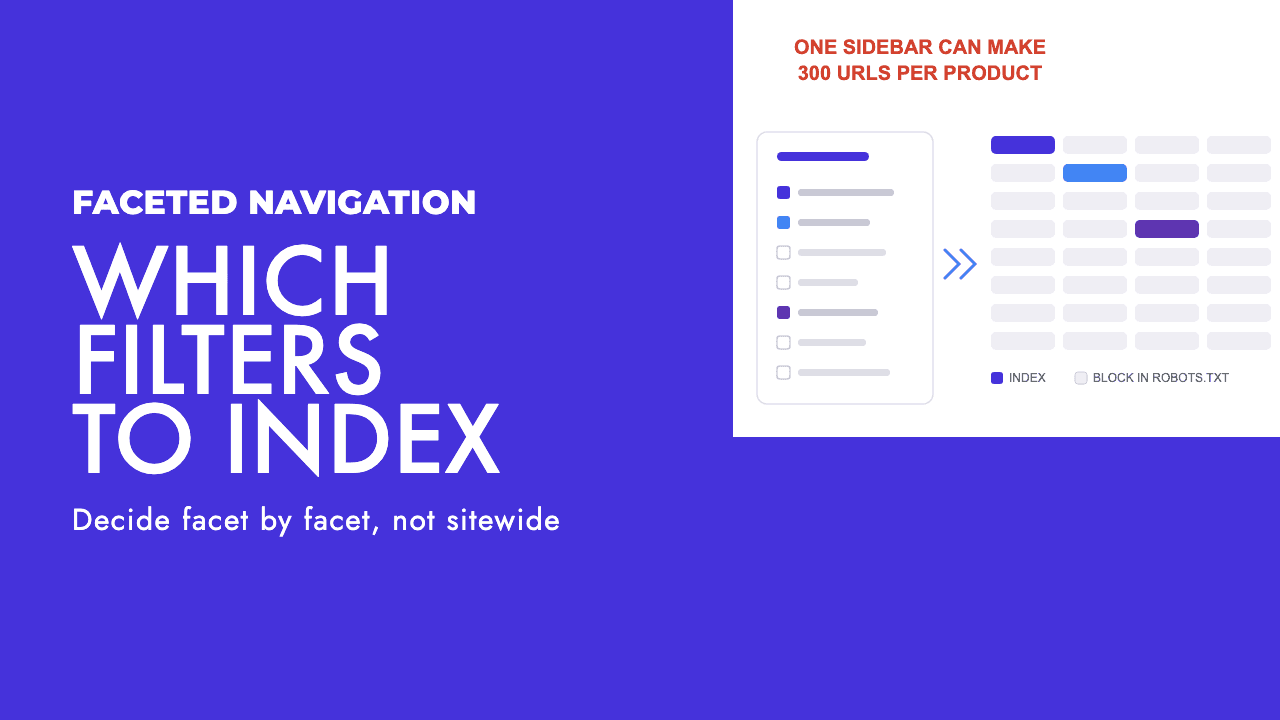
A developer can ship a filter sidebar in an afternoon. A week later that sidebar can have generated more URLs than the store has products, and Googlebot will be working through colour-by-size-by-price combinations while your new season stock sits unfetched.
That is the whole problem with faceted navigation, and both standard answers to it are wrong. "Index the filters, they are extra landing pages" produces thousands of near-identical listings. "Block everything with a filter in the URL" throws away the handful of filter pages that match what people actually type into Google. The decision belongs at the level of the individual facet, not the site.
Why the URL count explodes
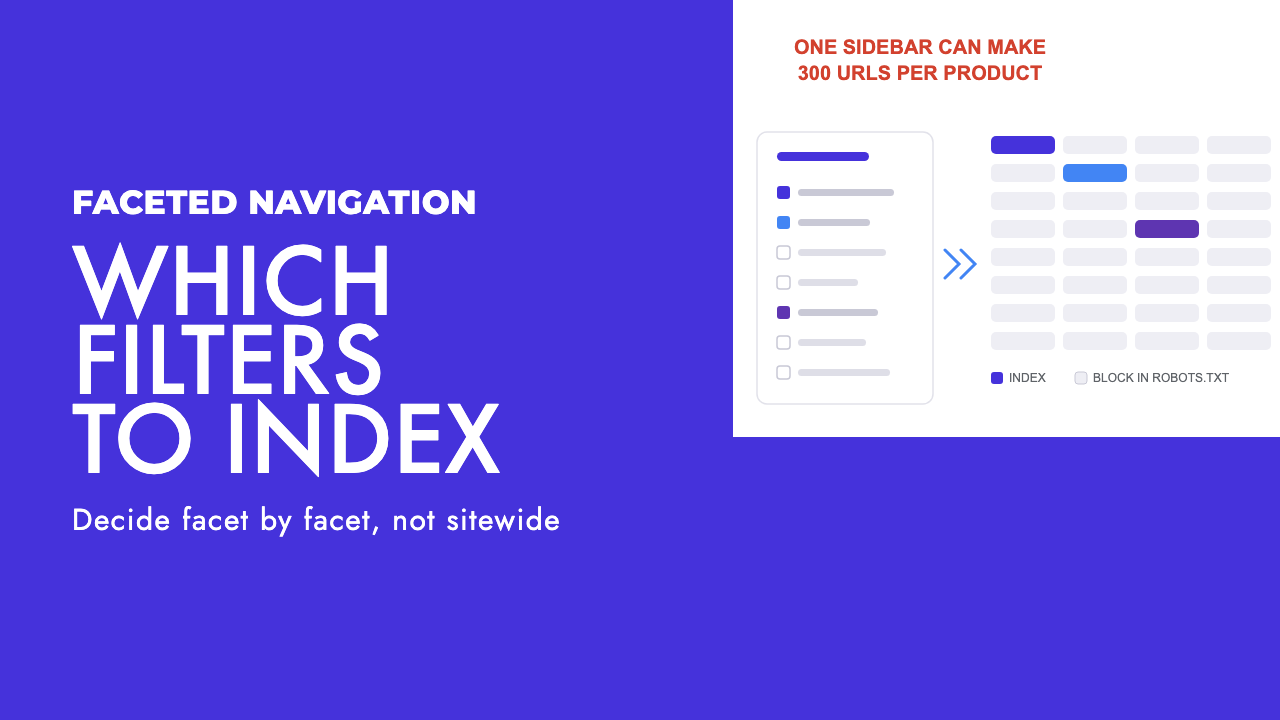
Filters multiply rather than add. Search Engine Journal's worked example is one product with five sizes, ten colours and six price ranges, which can produce 300 unique URLs for that single product (Search Engine Journal). Add brand, material and sort order and the count outruns anything Google will crawl in full.
Google's own example is items.shtm?products=fish&color=radioactive_green&size=tiny, where each parameter change is a new page (Google). The same documentation names the two harms: overcrawling, where the crawler spends its time on URLs that are not useful to searchers, and slower discovery of the new content you want found.
None of this is new. Google's first faceted navigation post dates from February 2014, and the current documentation (last updated 18 December 2025) formalises it. When it was republished, Gary Illyes called faceted navigation "the leading cause of overcrawling issues reported by website owners" (Search Engine Journal).
A word on crawl budget, because the phrase gets used loosely. Google's crawl budget guide (updated 22 July 2026) is written for sites with a million-plus pages that change weekly, ten thousand-plus pages that change daily, or a large share of URLs sitting at "Discovered, currently not indexed" (Google). Most stores are far below that. The honest framing is that crawl budget in Google's strict sense is a big-site problem, and faceted navigation is one of the few ways a small store manufactures a big-site URL count overnight.
Find out whether you actually have a problem before changing anything
Three places tell you whether the filters are costing you anything.
The Page Indexing report in Search Console is the first. Two statuses matter most, and Google's definitions are worth reading literally. "Crawled, currently not indexed" means "The page was crawled by Google but not indexed." "Discovered, currently not indexed" means "The page was found by Google, but not crawled yet. Typically, Google wanted to crawl the URL but this was expected to overload the site" (Google Search Console Help). Filter the report by your filter parameter. If product pages are stuck in the discovered bucket while thousands of filter URLs sit in the crawled bucket, you have your answer. We covered the full diagnosis in how to fix crawled, currently not indexed.
Log files are the second, and the only source that shows what Googlebot actually fetched. Isolate verified Googlebot requests, group by URL pattern, and compare the share going to faceted URLs against product and category pages. Our guide to log file analysis for SEO walks through it.
A crawl of your own site is the third. Screaming Frog with parameters left crawlable shows the URL space Google can see, including the empty combinations and sort variants you did not know existed. If the filters are rendered by JavaScript, you will need custom JavaScript crawling to see what Googlebot sees.
Decide which filter pages deserve to be indexed
Here is the test we use. Would you have commissioned this page by hand?
If a content brief for "waterproof walking boots" or "two bedroom apartments in Limassol" would have made sense as a standalone page with its own title, intro copy and internal links, the filter combination that produces it deserves to be indexed. If nobody would have written that page, nobody is searching for it. Nobody commissions "blue size 9 walking boots under £120 sorted by newest", and nobody searches it.
This is the first of two opinions we hold strongly. Sites that block every filtered URL usually throw away a small number of genuinely valuable pages: the ones where the filter matches a phrase people search as a phrase. Those deserve a real URL, a real title tag and a place in the internal linking, not an accidental existence as ?filter=waterproof that happens to be indexable this week.
The other half of the test is demand, checked against Search Console queries for the parent category or a keyword tool. One facet value on its own often clears the bar. Two combined rarely do. Three almost never.
| Facet type | Index? | Why |
|---|---|---|
| Product type within a category (walking boots, running shoes) | Index | Sub-categories wearing a filter costume. Give them a clean URL and treat them as category pages. |
| Single attribute people search by name (waterproof, leather, vegan) | Index, case by case | Real search phrases. Index when there are enough products to fill the page. |
| Brand within a category (Salomon walking boots) | Index, case by case | Worth it when the brand is a purchase criterion. Pointless for own-brand stores. |
| Location facet (apartments in Limassol, Larnaca) | Index | Location plus product type is a query in its own right. |
| Colour | Do not index, rare exceptions | "Red dress" has demand; "red walking boots" mostly does not. Open specific values only with evidence. |
| Size | Do not index | Almost nobody searches a size as a phrase, and availability changes daily. |
| Price range | Do not index | Arbitrary bands that expire. "Under £50" works for a few gift categories only. |
| Sort order | Do not index | Same products, different order. |
| Two or more attributes combined | Do not index, unless proven | Occasionally a pair is a real phrase (women's waterproof walking boots). Prove it with query data first. |
The default for everything else is block. The pages that survive should be built as pages: a static-looking URL, a unique title and H1, copy above the grid, and links from the parent category. That is ecommerce SEO work, not a robots.txt line. Where those surviving pages run to several pages of products, the sort and page parameters are a separate decision, and we work through it in pagination SEO: what to index and what to block.
How to stop the rest being crawled
Here is the second opinion. Sites that "fix" faceted navigation with rel=canonical alone have not fixed the crawl problem at all. Canonical is about which URL gets indexed. It is not a reliable way to stop Google fetching things, and treating it as one is the most common mistake we see on this.
Google's wording backs that up. Its duplicate URL documentation calls rel=canonical "A strong signal that the specified URL should become canonical", a signal rather than a directive (Google). The faceted navigation guidance groups canonical and nofollow as "generally less effective in the long term" than robots.txt or fragments, and the most it will say for canonical is that it "may, over time, decrease the crawl volume" of non-canonical versions (Google). Google has to fetch the page to read the tag. The crawl cost is already paid.
| Method | What it actually does | Saves crawl? | When to use it |
|---|---|---|---|
| robots.txt disallow | Stops Googlebot fetching matching URLs. Google says this "significantly decreases the chance the URLs will be processed by other Google systems" (Google). | Yes | The default for every facet you are not indexing. Pattern on the filter parameter, allow the unfiltered listing. |
| URL fragments (#color=red) | Keeps filter state after a #, which "Google Search generally doesn't support" in crawling and indexing (Google). The filter never becomes a URL. | Yes | New builds and JavaScript filter UIs. Not an afternoon retrofit. |
| rel=canonical to the unfiltered page | Consolidates indexing signals to the URL you name. A strong hint, not an instruction. | Not reliably | On the filter pages you do index, to point sort and pagination variants at the version you want ranked. |
| rel=nofollow on filter links | Only works if "every anchor pointing to a specific URL" carries it (Google). | Partially, and fragile | Rarely. One template with a missed attribute undoes it. |
| noindex meta tag | Google fetches the page, reads the tag, then drops it. Google's guide says "Don't use noindex, as Google will still request, but then drop the page" (Google). | No | Keeping a page out of results when it must stay crawlable. Not a crawl tool. |
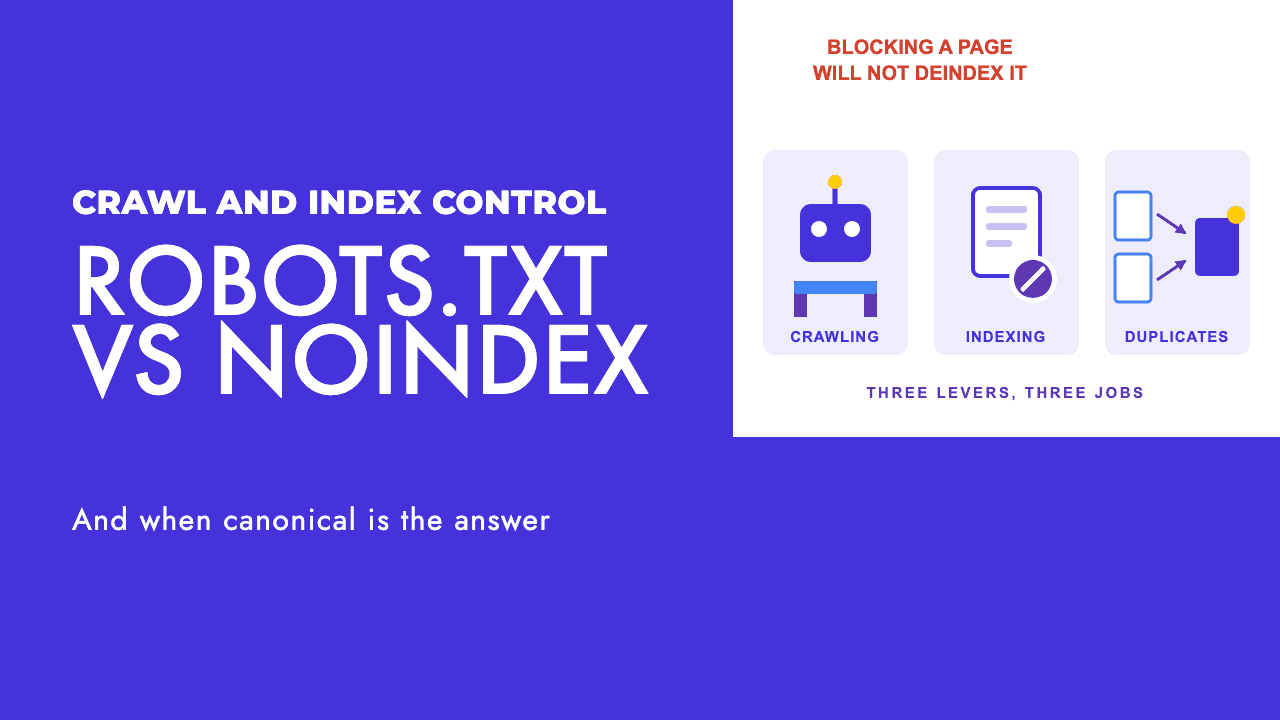
Two caveats. Blocking does not guarantee a URL never appears. Search Console's "Indexed, though blocked by robots.txt" status exists because if someone else links to a blocked page, Google can still index it "using the information from the page that links to your blocked page", and the help page says robots.txt "is not the correct mechanism to avoid being indexed" (Google Search Console Help). For filter URLs this is usually a non-issue. But if a filter URL is already indexed, blocking it freezes it in place: noindex it until it drops, then block. That sequencing applies to any page type, not just filters, and the full decision between the three mechanisms is in robots.txt vs noindex vs canonical.
And there is no switch in Search Console for any of this. The URL Parameters tool was retired in April 2022 (Google), on the grounds that only about 1% of the configurations set in it were useful for crawling (Search Engine Journal). Whatever you do has to be done on the site itself.
Google's example robots.txt is a good template: a Googlebot group disallowing /*?*products=, /*?*color= and /*?*size=, with an explicit allow for the unfiltered listing (Google). Adapt the parameter names and run the result through a robots.txt tester against real URLs from your crawl, including the filter pages you chose to index. A broad pattern will happily block those too.
The URL rules that go wrong quietly
Google's guidance has three rules that are easy to break without noticing.
Use "&" as the parameter separator. Google says comma, semicolon and square brackets "are hard for crawlers to detect as parameter separators" (Google). A platform that builds ?filter=colour:red;size:9 has made the URL opaque to a crawler.
If the filters live in the path (/products/fish/green/tiny), the order must never change. Google's rule is that "the logical order of the filters always stays the same and that no duplicate filters can exist" (Google). If colour-then-size gives /green/tiny and size-then-colour gives /tiny/green, you have doubled the URL count for nothing.
Empty combinations must return a 404 at the original URL. If there are no green fish in stock, users and crawlers should get a proper 404, and the same goes for duplicate filters, nonsensical combinations and pagination pages that do not exist. Do not redirect to a generic error page (Google). A "no results" message served with a 200 is a soft 404, and Google's crawl budget guide is blunt that soft 404 pages "will continue to be crawled, and waste your budget", while a real 404 is a strong signal not to crawl the URL again (Google).
Shopify and WooCommerce specifics
Shopify's storefront filtering builds URLs as filter.<scope>.<attribute>=<value>, where the scope is p for product-level attributes and v for variant-level ones. The documented examples are filter.p.product_type=shoes, filter.v.option.color=red and filter.v.price.lte=5. Multiple values within one attribute are comma separated and act as OR; different attributes join with & and act as AND (Shopify).
That matters because Shopify's default robots.txt already contains Disallow: /collections/*+*, which Shopify describes as preventing filtered collection pages from being indexed because they could create duplicate content, alongside blocks on /admin, /cart, /checkout, /search and /policies/ (Shopify). The plus-sign pattern matches the older tag-based filter URLs. It does not match a query-string URL built from filter.v.option.color=red, so check what your theme actually emits before assuming you are covered.
If you edit robots.txt.liquid, Shopify calls it an unsupported customisation and warns that "Incorrect use of the feature can result in loss of all traffic" (Shopify). Keep it in Liquid so Shopify's own rules keep updating, and test before publishing.
WooCommerce's layered navigation appends attribute filters to shop and category URLs as query-string parameters (the filter_ and query_type_ family), with separate min and max parameters for price. We could not find a current WooCommerce page documenting those in one place, so treat that as a structural description rather than a spec. The advice is the same on any platform: crawl your own store, list every parameter the filter UI actually produces, and only then write a robots.txt line. A pattern written from memory is how a category page gets blocked by accident.
What to check after you ship it, and how long to wait
In the first fortnight, run URL Inspection on a sample of each group: filter pages you want indexed, filter pages you want blocked, product pages and unfiltered category pages. Blocked filter URLs should show as blocked by robots.txt, everything else as crawlable. If a product page shows as blocked, roll back the same day.
After a month, go back to the Page Indexing report and the logs. The share of Googlebot requests hitting faceted URLs should be falling, and the "Discovered, currently not indexed" count for product pages shrinking with it. Filter URLs moving into the "Blocked by robots.txt" bucket is the expected outcome, not an error.
Be patient. Google's crawl budget guide says blocked URLs stay in the crawl queue much longer than 404s (Google), and the faceted navigation doc only promises that canonicals reduce crawl volume "over time". Weeks, not days, is the honest expectation, and longer for indexing to settle. Judging it after a week tells you nothing.
If the rollout moved filters to fragments or JavaScript state, confirm the unfiltered category pages still render their product grid for Googlebot, using the checks in our JavaScript SEO troubleshooting guide.
Faceted navigation is one of the few technical problems where the fix is mostly a decision rather than a build: which facets earn a page, and which get a robots.txt line. If you would rather have someone go through your filter URLs, logs and Page Indexing report and make that call with you, that is what our technical SEO work covers, and a free SEO review is the easiest place to start.
Frequently asked questions
Should I block all filtered URLs in robots.txt?
Not all of them. Block the facets nobody searches for as a phrase (sort order, price bands, most size and colour combinations) and leave open the small number of filter pages that match a real search, such as a product type plus a material or a use case. Those deserve a proper page with a clean URL, a unique title and internal links, rather than being caught by a blanket disallow.
Does rel=canonical stop Google crawling my filter pages?
No. Google describes rel=canonical as a strong signal about which URL to index, not an instruction to stop fetching. Its faceted navigation guidance says a canonical may reduce crawling of non-canonical versions over time, and calls it less effective than robots.txt or fragments. Google has to fetch a page to read the canonical in the first place, so the crawl cost is already paid.
Is crawl budget really a problem for a small store?
In Google's strict sense, crawl budget is a concern for sites with a million-plus pages, ten thousand-plus rapidly changing pages, or a large share of URLs stuck at Discovered, currently not indexed. Most stores are nowhere near that. Faceted navigation is the exception because a few hundred products with five facets can produce a big-site URL count overnight, which is why the Page Indexing report is where you check.
What should a filter combination with no results return?
A 404 status code at the original URL. Google's guidance is explicit: if there are no green fish in stock, both users and crawlers should get a not-found response with a 404, and the same applies to duplicate or nonsensical filter combinations and pagination pages that do not exist. Do not redirect to a generic error page, because that turns an empty combination into a soft 404 that keeps being crawled.