
A tool has flagged a list of your keywords as cannibalised and a consultant has quoted you a merge project to fix it. Before anyone deletes a page, ask the question the tool did not: were both pages actually shown to a searcher, or did a rank tracker just watch them trade places?
Keyword cannibalisation (or cannibalization, if you learned the term from American tools) is the label for two or more of your pages competing for the same query. It is a real thing. It is also, in my experience, the most over-diagnosed problem in SEO, and most of what gets filed under it is simply a page not ranking where its owner would like.
Why most cannibalisation diagnoses are wrong
Start with what Google's own people say when asked. In September 2025 John Mueller answered a cannibalisation question on Bluesky, and Search Engine Journal's write-up records his first reaction: "If you have 3 different pages appearing in the same search result, that doesn't seem problematic to me".
That is the premise of most cannibalisation reports, dismissed in one sentence by the person Google employs to answer these questions.
He went further on the data. Search Console, in his words, shows data for when pages were actually shown and is not a theoretical measurement, and he added that "it's not really 'cannibalization' if it's theoretical". That line is the most useful test in this whole topic, and we will come back to it.
My own position is a little narrower than Mueller's. Some versions of this problem are real and worth fixing, but they are specific, they are testable, and only one of them is ever fixed by removing a page.
What Google actually says about two of your pages in one result
Three things from Google's documentation set the baseline.
Overlapping pages are not a spam problem. The SEO Starter Guide says having duplicate content on your site is not a violation of its spam policies, calls it inefficient, and states that it will not cause a manual action. If a cannibalisation pitch contains the word "penalty", it is selling fear.
Google does not treat two pages as duplicates just because they rank together. Mueller's phrasing in the same thread was that "pages aren't duplicates just because they happen to appear in the same search results page". His advice was to reduce unnecessary duplication and put the energy into one excellent page, which is a long way from "merge everything that shares a keyword".
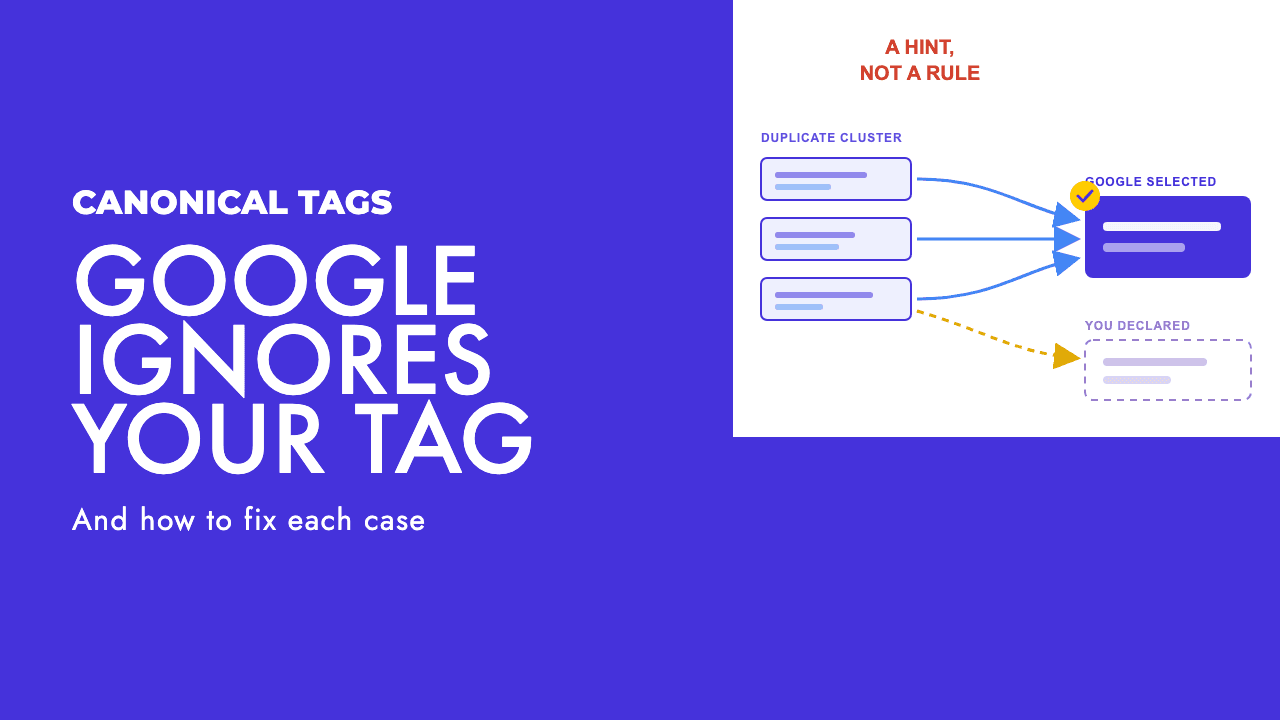
Where pages genuinely are duplicates, Google's preferred answer is consolidation to one URL via a redirect or rel="canonical", not deletion. The canonicalisation documentation adds that if you do not pick a canonical, Google "will identify which version of the URL is objectively the best version to show to users in Search".
Templated URL duplication, like paginated series and filter combinations, is a different problem with a different fix, and I would not call it cannibalisation at all.
The three versions of this that are real
Strip away the theoretical cases and three patterns remain. Each has a different cause and a different fix, which is why the generic "merge them" advice does so much damage.
Google keeps swapping which page it ranks
For one query, Google shows page A for a few weeks, then page B, then A again. Neither page holds the position long enough to build a history, and the result bounces.
The tell is in the date comparison. Filter Search Console to the query, compare two periods, and the impressions move from one URL to the other rather than being shared. This is the only one of the three that looks like a textbook cannibalisation chart.
The wrong page wins
Google consistently ranks a page that cannot do the job the visitor needs. The common shape is a blog post ranking for a commercial query while the service page sits two pages back. Nothing swaps. Google has made a stable decision, and the decision is wrong for your business.
The uncomfortable part is that Google is usually right about relevance. The post ranks because, for the query as written, it is the better topical match. Your service page is not losing the fight. It is not entering it.
One page has been folded into another
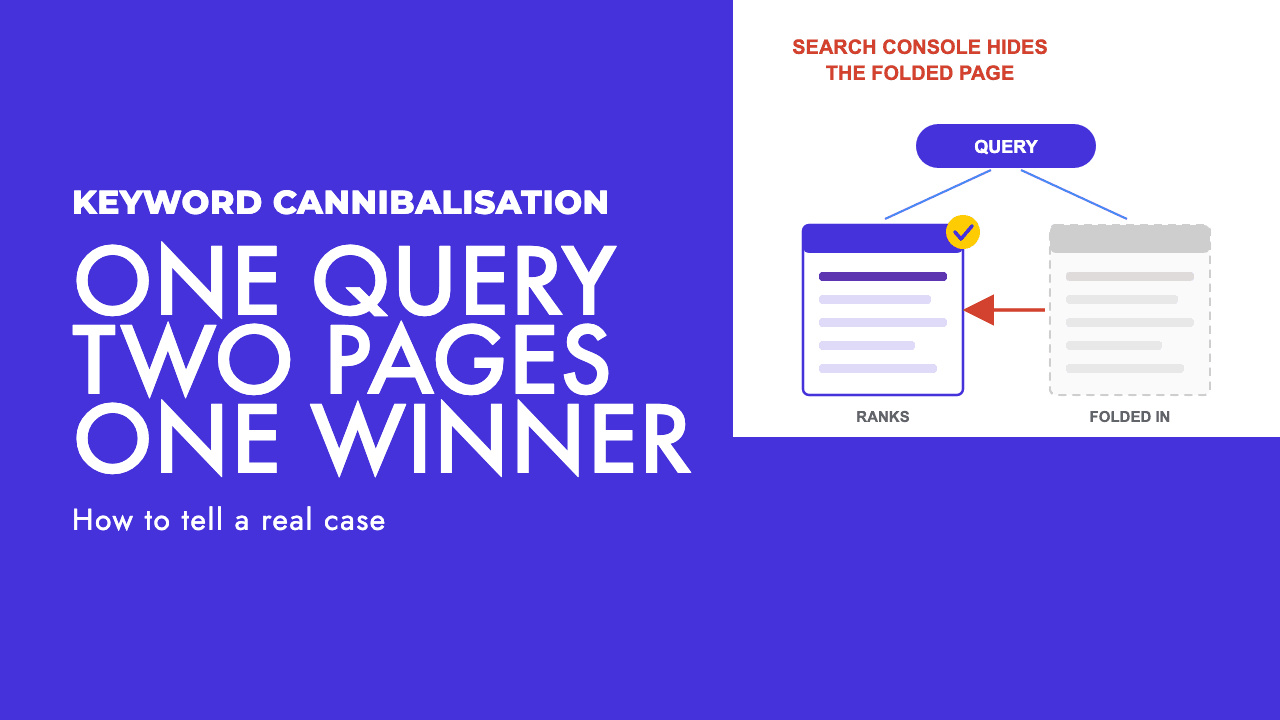
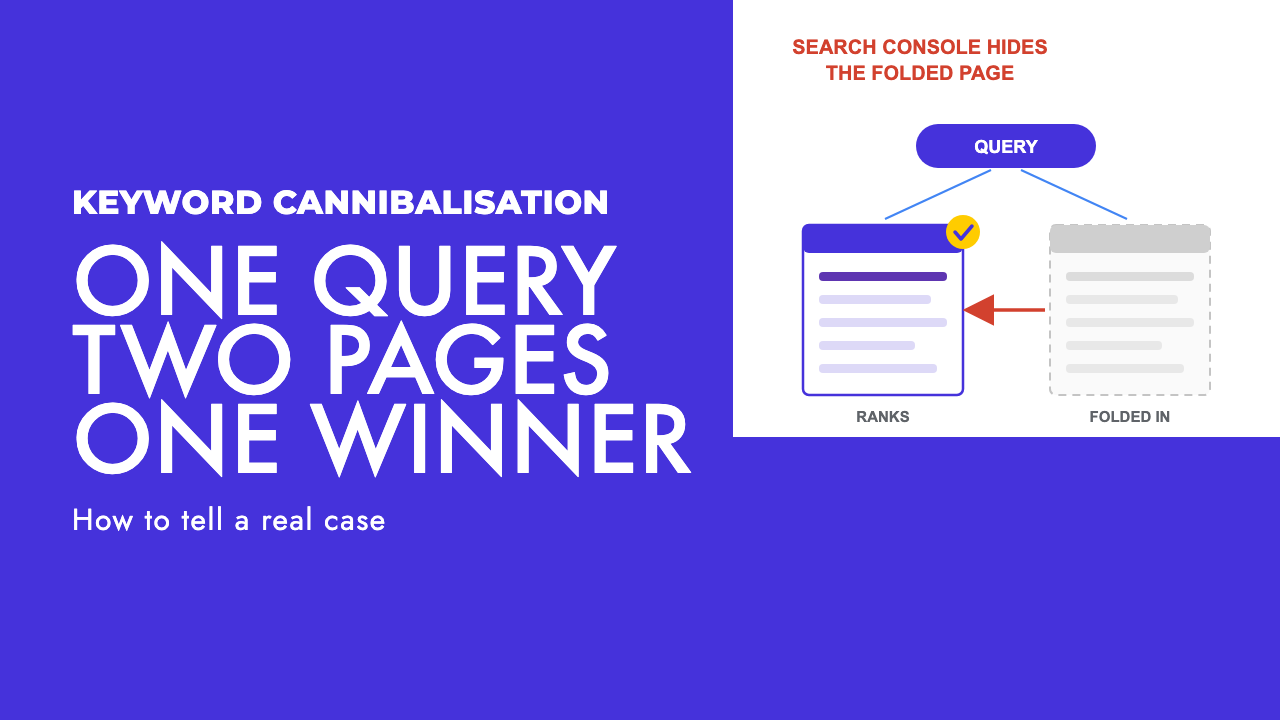
Google has decided two of your pages are near enough the same thing and has picked one as the canonical for both. The other is indexed in name only. It does not rank, it earns no impressions, and the Performance report will not show it.
This is the version most audits miss, and the reason is structural rather than careless.
Why Search Console will not show you the whole problem
The Search Console help page on impressions, position and clicks states that click, impression and position data for all variations of a page are assigned to the canonical URL, and Google chooses that canonical. There is an exception for some cases where data is assigned to the actual URL instead, but the default is attribution to Google's pick.
Think through what that does to a cannibalisation audit. You suspect page B is stealing from page A. You open the Performance report, filter to the query, and see only page A, performing fine. You conclude there is no conflict.
What has actually happened is that Google folded B into A, every impression B would have earned is credited to A, and B has vanished from the report that was supposed to reveal it. The page you suspected of stealing traffic is the one that no longer exists as far as Search is concerned. A Search Console-only diagnosis cannot see this class of problem, by design.
The report is also less precise than it looks for comparing two pages. The Performance report documentation explains that data grouped by page is aggregated by page while queries, dates, countries and devices are aggregated by property, and that chart and table totals can differ "usually due to differences in aggregation (property vs. page)". Average position in a table row is the average for that URL when it appeared, which says nothing about how often it appeared instead of the other page.
The tool that does show the folded case is URL Inspection. Inspect the page you think is invisible and read two fields: the user-declared canonical (what your tag says) and the Google-selected canonical (what Google decided). If they disagree, you have found your problem, and it was never cannibalisation in the sense the tool meant.
We covered why those fields disagree in why Google ignores your canonical tag. The canonical documentation calls rel="canonical" "a strong signal that the specified URL should become canonical", which makes it something Google weighs rather than obeys. If the page has been dropped from the index rather than folded, see crawled, currently not indexed instead.
How to run the audit
The method is query first, then page, then canonical. Most tools run it the other way round, which is how you end up with a list of fifty "conflicts" nobody can act on.
- Open the Performance report, filter to a single query, and switch to the Pages tab. This shows which URLs were actually shown for that query. Mueller's theoretical-versus-real test is settled here: if only one page appears, there is nothing to fix.
- If two pages appear, add a date comparison. Impressions that shift from one URL to the other suggest swapping. Impressions on both URLs at once, with one far ahead, suggest the wrong page winning, or two pages that are both fine.
- Ask whether the winning page can do the job. If a visitor arriving from that query can convert or find what they came for, you have a page that works and a chart you dislike.
- For any page you expected to see and did not, run URL Inspection and compare the user-declared canonical with the Google-selected canonical. This is the only step that catches the folded case.
- Only now decide the failure mode, and therefore the fix.
One caution. If the "conflict" exists only in a rank tracker and the two pages never share impressions in Search Console for that query, treat it as unverified. A tracker queries Google from one location, on one device type, with no history, on a schedule, and my experience is that two pages of similar relevance can appear to alternate between checks while real searchers in your market saw one page consistently. That is an artefact of how the tracker samples, and I would not rebuild a site around it.
Symptom, diagnosis and fix
| What you see | What is probably happening | What to do |
|---|---|---|
| Two pages share impressions for a query, both stable | Google is comfortable showing both. Not a problem. | Nothing, unless the lower page is embarrassing. |
| Impressions move from URL A to URL B and back between date ranges | Swapping. Google cannot settle on the better match. | Separate intent: give each page a distinct job and make titles, headings and internal links agree. |
| A blog post ranks for a commercial query, the service page does not appear | Wrong page wins. The post is the better match as written. | Rewrite the service page for the query and link to it from the post with a descriptive anchor. |
| The page you expected is missing from the Performance report | Folded. Google chose a different canonical and credits data to it. | Confirm in URL Inspection. Differentiate the page enough to stand alone, or redirect it permanently. |
| Two near-identical pages, neither with a reason to exist | Genuine duplication. | Permanent redirect from the weaker URL to the stronger one. |
| Conflict appears in a rank tracker only, never in Search Console | Tracker sampling artefact. | Ignore until Search Console shows both pages for the query. |
Fixing it by separating intent
Most real cases, including swapping and the wrong page winning, are fixed by changing what each page is for rather than how many pages there are.
Ask of each page: which query is this the best answer to, and which queries should it stop trying to answer? A post called "how much does a website cost" and a web design service page both want "website cost" traffic. Make the post about what drives the price and the service page about getting a quote, then make every signal agree with that split.
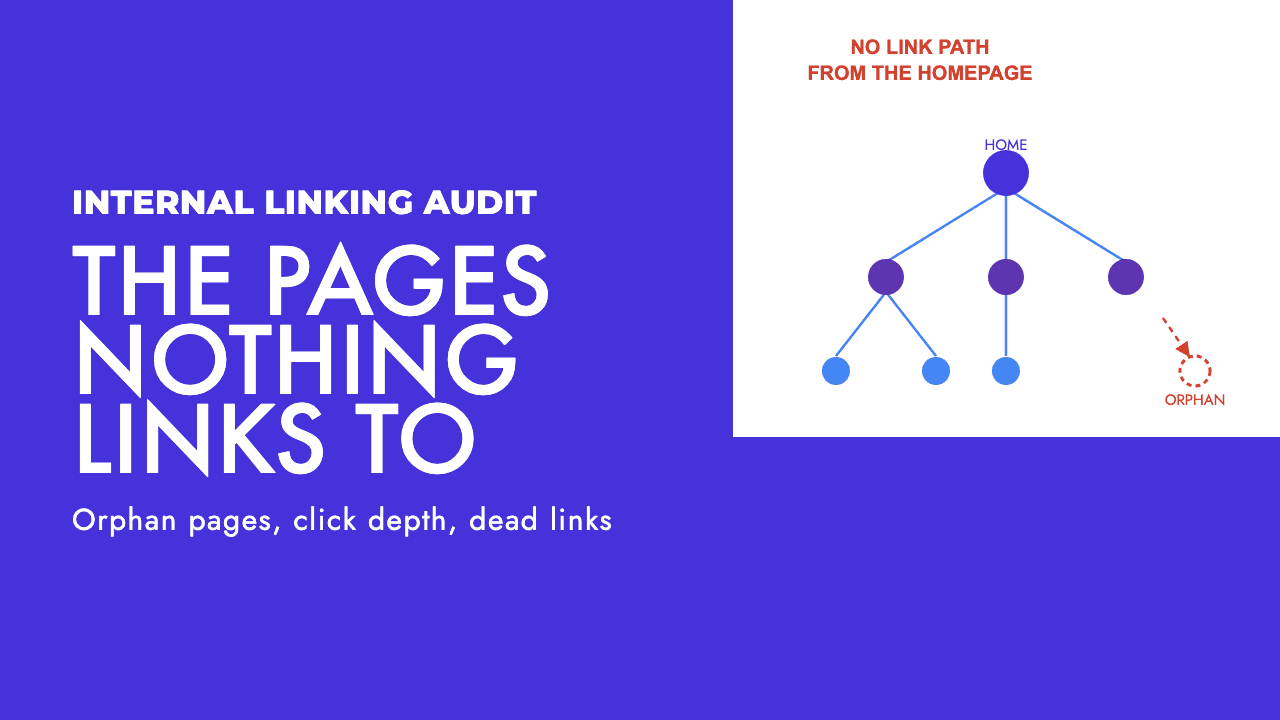
Those signals, in rough order of effect, are the title tag and H1, the opening paragraph, the subheadings, and the internal links pointing at each page. Internal links are the one most teams forget. If forty pages link to the post with the anchor "web design pricing" and two link to the service page with "click here", Google has been told which page is the main one. Our internal linking audit walks through fixing that.
Google's canonicalisation documentation agrees: link internally to your canonical URLs rather than to alternates, and add a self-referential canonical to the page you want to be the main one. Both are cheap and both are often missing.
This is also where a content strategy earns its keep, because the usual root cause is two pages briefed at different times by different people, each handed the same keyword list. Fix the pages without fixing the briefing and you will be back here in a year.
Merging and redirecting, and what not to do
Merge only when one of the pages genuinely should not exist: two posts that say the same thing, a legacy service page duplicating a newer one, a location page for somewhere you no longer serve. In those cases consolidation is right, and the mechanism is a permanent redirect.
The redirects documentation is clear on which kind: permanent redirects (301 and 308) show the redirect target in search results, temporary ones (302, 303 and 307) show the source page. Google says to use a permanent redirect "when you're sure that the redirect won't be reverted". It keeps track of both URLs, and the old one becomes an alternate name that fades away without you doing anything.
Three things not to do.
Do not use noindex to choose between two pages. Google's canonicalisation guidance says not to, because noindex "will completely block the page from Search", and the noindex documentation confirms the page is dropped from results even if other sites link to it. A redirect moves the weaker page's signals to the stronger one. Noindex throws them away.
Do not use robots.txt for any of this. The canonical documentation says a disallowed URL can still be indexed without its content, and the noindex documentation adds that Google has to crawl a page to see a noindex rule, so a URL blocked in robots.txt cannot be de-indexed by one. Noindex inside robots.txt is not supported at all. Blocking a page hides your redirect and your canonical from Google and can leave the URL in the index as an empty shell.
Do not delete pages that earn links. Deleting a linked page to a 404 discards those links; redirect it and they follow. The canonical documentation also warns against sending different canonical signals through different methods, so once you redirect a page, do not leave a sitemap entry or an internal canonical still pointing at the old URL.
Why query fan-out changes the maths on consolidating everything
The old consolidation advice was to fold every adjacent page into one long page so it could rank for everything at once. That looks weaker now, for a reason Google has documented.
In its guidance on AI features, Google says AI Mode and AI Overviews may use a "query fan-out" technique, issuing multiple related searches across subtopics and data sources. One prompt becomes several sub-searches, and several genuinely distinct pages on adjacent subtopics can each answer a different one, where a single merged page can only be retrieved once.
Do not overclaim this. The same document says there are no additional requirements and no special optimisations needed for AI Overviews or AI Mode. Fan-out is a reason to be careful about merging pages that are distinct, not a reason to split pages that are not. We wrote more in query fan-out and AI Mode.
The rule that runs through this whole post is simple. Two pages that answer different questions should both exist. Two pages that answer the same question should become one. The audit tells you which you have, and the fix follows from that, not from the length of the list your tool produced.
If you want a second pair of eyes on a cannibalisation report before you act on it, that sits inside our technical SEO work, and a free SEO review is a reasonable place to start.
Frequently asked questions
Is keyword cannibalisation a Google penalty?
No. Google's SEO Starter Guide says duplicate content on your site is not a violation of its spam policies and will not cause a manual action, and John Mueller has said several of your pages appearing in one result does not seem problematic to him. Cannibalisation is a performance question, not a compliance one. The only certain cost is efficiency: Google may crawl and rank pages you would rather it ignored.
How do I find keyword cannibalisation in Search Console?
Start from the query, not the page. Filter the Performance report to one query, open the Pages tab, and see which URLs were actually shown for it over the period. Then compare date ranges to check whether the pages swap. For any page that looks invisible, run URL Inspection and read the Google-selected canonical, because the Performance report assigns all data to that canonical and will hide a folded page.
Should I use noindex to fix keyword cannibalisation?
No. Google's canonicalisation documentation says not to use noindex to choose between pages because it blocks the page from Search entirely, and its noindex documentation says the page is dropped even if other sites link to it. If one page should not exist, use a permanent redirect so its signals move to the survivor. If both should exist, change what each one is for instead.
Should I merge pages that target similar keywords?
Only when one of them has no reason to exist on its own. Most real cases are better fixed by giving each page a distinct job, then matching titles, headings and internal link anchors to that job. Merging everything into one long page also sits awkwardly with query fan-out, where Google says a single AI Mode prompt can trigger multiple searches across subtopics that distinct pages can each answer.