
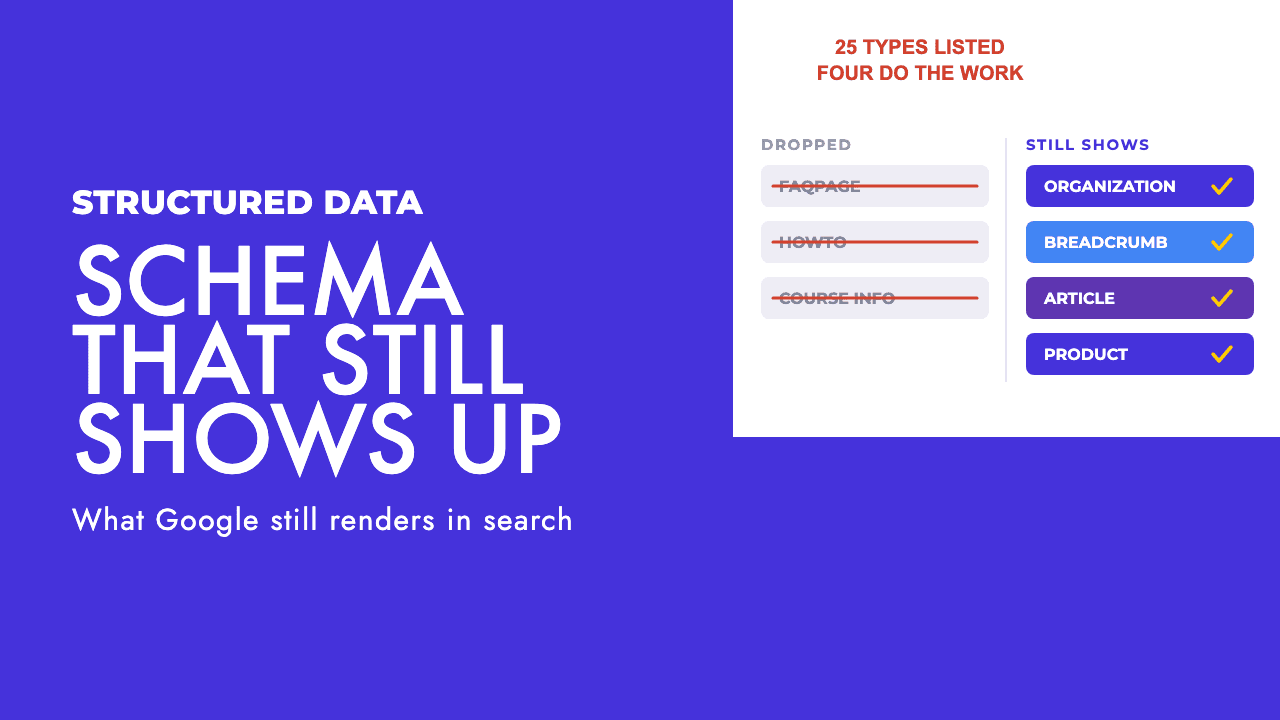
Plenty of business sites still carry FAQ, HowTo and Course markup on every page, service pages included, dropped in by a plugin years ago. None of it has produced anything visible in Google for over a year, and in most cases nobody on the team has noticed.
That is the normal state of structured data on a small or mid-sized site: a lot of markup, very little of it doing anything. Here is which schema markup still earns a rich result, which types never could for your kind of site, and what to do with the rest.
What Google removed, and when
Google's own documentation updates log is the cleanest record of the pruning, so here it is as a timeline rather than a news story.
| Date | What changed |
|---|---|
| 22 January 2025 | Breadcrumb availability updated: breadcrumbs now appear only on desktop results, not mobile |
| 12 June 2025 | Google begins phasing out book actions, course info, estimated salary, ClaimReview, learning video, special announcement and vehicle listing |
| 9 September 2025 | Documentation removed for course info, estimated salary, learning video, special announcement and vehicle listing, which "are no longer shown in Google Search results" |
| 5 November 2025 | Practice problem and dataset types phased out, with the clarification that Dataset markup "is only used by Dataset Search, and not Google Search" |
| 6 January 2026 | Practice problem documentation removed |
| 8 May 2026 | FAQ rich result deprecated, "will no longer appear in Google Search starting May 7, 2026" |
| 15 June 2026 | FAQ documentation removed |
| 24 July 2026 | New review snippet guideline added covering fake and undisclosed incentivised reviews |
The FAQ removal is the one most sites feel, because FAQ markup was on everything. We covered the detail in our post on Google dropping FAQ rich results. Google's John Mueller explained the decision in one line: "It was only used for a tiny set of site types (as documented)" (Search Engine Roundtable).
HowTo went earlier and is not in the feature list at all any more. Google limited How-to rich results to desktop in August 2023, then dropped them from desktop too that September, which it said made the result type deprecated. If your plugin is still emitting HowTo, it is emitting it into a void.
The 25 features in the gallery, and the ones a normal site can use
Google's structured data search gallery, last updated 16 October 2026, lists 25 features. The page says that following each guide makes a site eligible for appearance as that rich result. It makes no ranking claim, which is worth holding onto for later.
The full list, grouped by who it actually serves.
| Feature | What it produces | Who it is actually for |
|---|---|---|
| Organization | Name, logo and contact details for brand treatments and the knowledge panel | Every site |
| Breadcrumb | A page path in place of the raw URL, desktop only | Any site with sections |
| Article | Richer headline, image and date display | Sites with a blog |
| Local business | Knowledge panel details and a business carousel | Businesses with premises |
| Product | Product snippets or merchant listings | Anyone selling products |
| Review snippet | Star rating and review count on eligible result types | Sites hosting user reviews |
| Event | Date, venue and ticket details | Venues, organisers, ticket sellers |
| Video | Thumbnail, duration and key moments | Sites with their own video |
| Job posting | Listings in Google's jobs experience | Employers and job boards |
| Profile page | Author and creator treatment | Publishers, communities, creators |
| Image metadata | Creator and licence details on image results | Photographers, image libraries |
| Q&A | Question and answer threads in results | Forum and community sites |
| Discussion forum | First-person forum posts shown as discussions | Forum and community sites |
| Recipe | Cooking time, ratings and ingredients | Recipe publishers |
| Software app | App details and ratings | App publishers |
| Course list | A list of courses from one site | Education providers |
| Carousel | A list of several items from one site | Sites already eligible for Recipe, Course list, Restaurant or Movie |
| Movie | Film details and ratings | Film and entertainment sites |
| Subscription and paywalled content | Flags a paywall so it is not read as cloaking | Publishers with a paywall |
| Math solver, Speakable, Vacation rental, Education Q&A, Employer aggregate rating, Dataset | Gated, niche, or in Dataset's case only used by Dataset Search | Not applicable to most business sites |
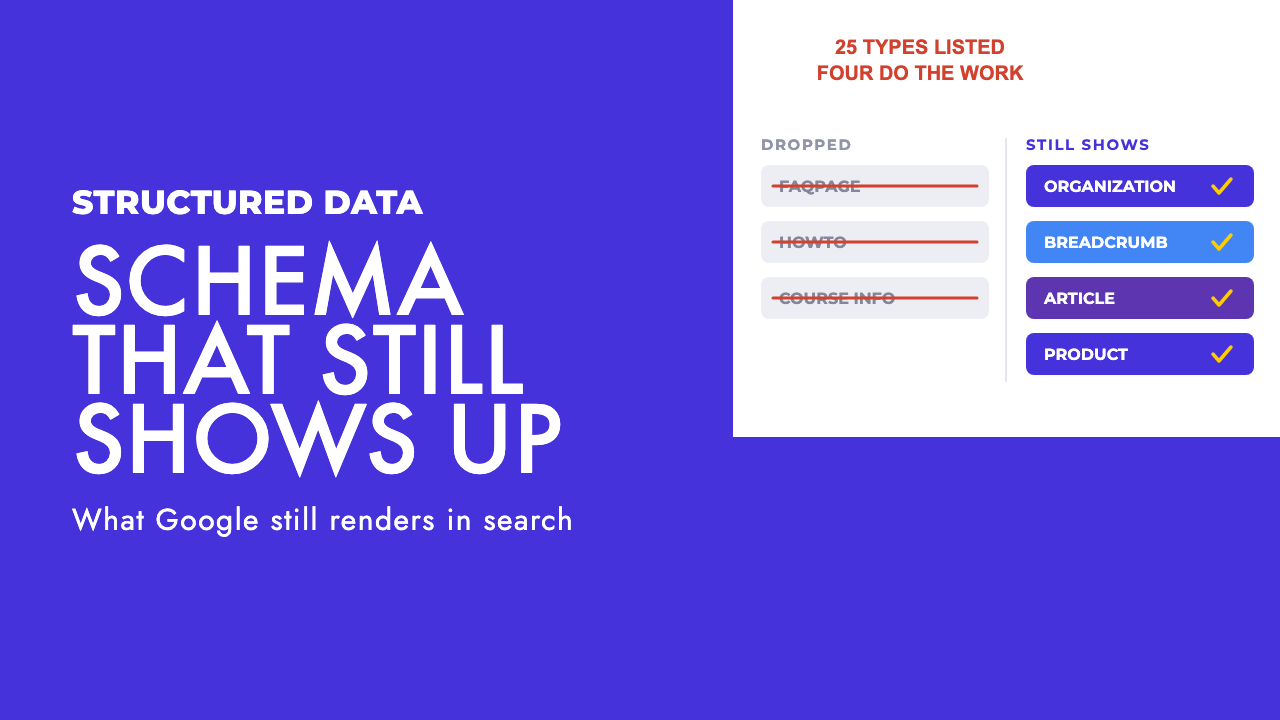
Count the rows that apply to a company selling a service or a product from an ordinary website and you get to about eight. Count the ones that reliably change what shows in a result and you are at four or five.
Our position is that this is fine. Schema is a labelling job. You are telling Google what a page is, in a format it can parse without guessing. Nothing in the gallery is a ranking lever, and Google never said it was.
The handful that do real work
Five types are worth implementing properly and keeping clean.
Organization sits on the homepage and tells Google who you are: legal name, logo, address, phone, social profiles. It ties the site to a named entity rather than a bundle of pages. Keep it to one instance and keep the details identical to what is visible on the page.
Breadcrumb is cheap, sitewide and still shows, but only on desktop since the January 2025 availability change. The visible payoff is desktop only now, but it still tells Google how the site is organised.
Article is for the blog. Google's general structured data guidance says it is more important to supply fewer but complete and accurate recommended properties, so headline, author, dates and image done properly beats a long list half filled.
Local business applies if customers walk through a door. Google's local business documentation says results may show a prominent knowledge panel for a business that matches the query, and a carousel of businesses for searches for a type of business. The markup is the lesser half of local, though. Your Business Profile does more of the lifting, and the biggest lever there is the primary category, which we covered in how the Business Profile category drives local rankings.
Product is the fifth, and it has enough rules of its own to get its own section below.
Event, Video and Job posting are real too, if you genuinely publish those things. A one-off webinar marked up as an Event is how sites end up with Search Console warnings and no rich result.
Review snippets: the rules that disqualify most sites
This is where practitioners get caught, so here are the actual constraints from Google's review snippet documentation, last updated 8 September 2026.
The thing being reviewed has to be one of a fixed list of types: Book, Course, CreativeWorkSeason, CreativeWorkSeries, Episode, Event, Game, HowTo, LocalBusiness, MediaObject, Movie, MusicPlaylist, MusicRecording, Organization, Product, Recipe or SoftwareApplication. A Service is not on the list. Neither is a WebPage.
Even within that list, stars only appear as rich results for Book, Course list, Event, Local business, Movie, Product, Recipe and Software app.
Then the rule that catches the most sites: if the entity being reviewed controls the reviews about itself, those reviews are ineligible for the star feature. Google spells out that Organization reviews are only for sites that capture reviews about other organisations. A review platform can mark up its ratings of your company. You cannot mark up your own testimonials and expect stars.
Three more guidelines close the remaining loopholes. Ratings must be sourced directly from users. You must not aggregate reviews or ratings from other websites, so pulling your Google or Trustpilot score into your own markup is out. And since the 24 July 2026 update, you must not include fake or undisclosed incentivised reviews on the page or in the markup. We wrote about what that policy means in Google's fake and incentivised reviews guideline.
Put those together and the agency, law firm, dentist or SaaS company that wraps its homepage testimonials in an aggregateRating is doing the most common thing we see in audits and the most clearly ineligible one. The stars it is hoping for were never on offer.
Where it does work is on a product you sell, a local business page with ratings from your own customers, or an event you run.
Product markup: snippets, merchant listings and the Merchant Center myth
Google's product documentation, last updated 10 December 2025, splits the feature in two.
| Variant | When it applies | What it adds |
|---|---|---|
| Product snippets | Pages where people cannot buy the product directly | Price, availability, review options including pros and cons |
| Merchant listings | Pages where customers can purchase the product from you | More detailed fields such as shipping and return policy |
The myth worth killing is that you need a Merchant Center account for any of this. You do not. Google's documentation says you can add Product structured data to your pages, upload a feed through Merchant Center, or do both. Doing both maximises eligibility, but markup alone is a valid route.
For a small shop that matters: the product pages you already have can carry merchant listing markup without a feed project.
Schema and AI search
There is a cottage industry selling "schema for AI search" or "GEO structured data" packages. Google's AI features documentation, last updated 10 December 2025, is about as plain as Google ever gets. It says "all existing SEO fundamentals continue to be worthwhile", that there is "no special schema.org structured data that you need to add", and that you do not need new machine-readable files, AI text files or markup to appear in these features.
Our opinion, stated as opinion: most paid schema-for-GEO work is selling markup for a purpose the platform says it does not need.
What does change whether an AI system cites you is the content itself: whether the page states its claims plainly, whether it can be excerpted without losing meaning, whether it is crawlable at all. That is the ground we cover in how to structure content so LLMs cite you, and none of it is a schema type.
If someone proposes schema as the fix for AI visibility, ask them which Google document says it helps. There is not one.
How to check what Google actually reads on your pages
Google's structured data guidance gives a three-stage check, and each stage answers a different question.
| Stage | Tool | What it tells you |
|---|---|---|
| During development | Rich Results Test | Whether the markup is valid and which rich results it is eligible for |
| After deployment | Rich result status reports in Search Console | Pages Google has found with each type, and which carry errors or warnings |
| Per page | URL Inspection tool | Whether Google actually found the markup on a specific live URL |
Two warnings from the same document matter more than the tools. The markup must include every required property for the object to be eligible at all, so a Product with no name is wasted effort. And Google says markup "might break after deployment due to templating or serving issues", which is why the status reports are not optional. A theme update can silently strip your JSON-LD and nothing on the page will look different.
The rule underneath all of it: do not add structured data about information that is not visible to the user. Markup describes the page. It does not extend it.
If you are writing markup from scratch for Organization, Local business, Article or Product, our free schema markup generator produces valid JSON-LD for the types that still show. Paste the output into the Rich Results Test before it goes live.
What to do with the dead markup
Leave it, unless it is in your way.
When FAQ went, Mueller's advice was that there was no need to change anything, and that sites that added it for search could remove the markup if they wanted (Search Engine Roundtable). Google said the same thing when it first cut FAQ visibility and deprecated How-to: you can drop the markup, but there is no need to proactively remove it, because structured data that is not being used "does not cause problems for Search, but also has no visible effects in Google Search" (Search Central blog). That is the right read for the whole pruned list.
One reason to clean it up anyway: old plugin markup often carries errors that clutter the Search Console reports. Other engines may parse structured data on their own terms, which is a reasonable bet rather than a claim, so keeping what remains accurate costs little.
The thing to stop doing is what most sites are still doing: spending time on types that were never going to show for your kind of site. Put the hours into the four or five that do, keep them matching the visible page, and check the status reports after every template change. If you would rather someone went through what your site emits and told you which of it Google still reads, that is part of our technical SEO service, and a free SEO review is the quickest way to start.
Frequently asked questions
Does schema markup improve rankings?
No. Google's structured data documentation says markup makes a page eligible to appear as a rich result, and the search gallery makes no ranking claim. Schema is a labelling job: it tells Google what a page is about in a format it can read reliably. A rich result is a presentation bonus on a page that already ranks, not a way to make it rank.
Which schema types still produce a visible rich result for a normal business site?
For most service or product businesses the list is short: Organization, Breadcrumb (desktop only since January 2025), Article for a blog, Local business for a physical location, and Product with its review and merchant listing variants. Event, Video and Job posting apply if you genuinely publish those things. FAQ, HowTo and Course markup no longer show anything in Google Search.
Can I use review snippet markup for testimonials on my own site?
Almost never. Google's review snippet guidelines say reviews are ineligible for the star feature when the entity being reviewed controls them, and Organization reviews are only for sites that capture reviews about other organisations. Ratings must come directly from users, cannot be aggregated from other websites, and since July 2026 cannot be fake or undisclosed incentivised reviews.
Do I need special schema markup to appear in AI Overviews or AI Mode?
No. Google's documentation on AI features states there is no special schema.org structured data you need to add, and no new machine-readable files or markup are required to appear in those features. Normal SEO fundamentals, crawlable content and clear page structure are what count. Anything sold as schema for AI search is markup for a purpose Google says it does not need.